by Hugo Barra
I’m excited about the new, thinner iPad Pro and the awesome Apple Pencil Pro, though I don’t foresee needing to buy one anytime soon because I’m sufficiently happy with my 4th generation (2020) iPad Pro and made peace a long time ago with the fact that the front-facing camera is in the wrong place.
This post is not about the iPad products announced. For a look at the products, I recommend MKBHD’s impressions video and this excellent in-depth video from Snazzy Labs.
What I found even more amusing than the hardware in this launch was the 38-minute film that Apple produced for it, which included a fun selection of locations and an ultra-creepy short film that sparked a ton of controversy amongst the creative community. This was by far the most entertaining Apple launch event I’ve seen ever, and one that definitely made me not miss the pre-Covid live keynotes anymore.
Here are my TOP 5 nuggets of creative goodness from this Apple launch.
#1: The new iPad Air is announced from a moving BART train in the SF Bay Area
The opening chapter of the launch film has Apple SVP John Ternus announcing the new iPad Air from a BART train near San Francisco. As far as I can tell, it was a real train and Apple used either a new (or newly remodeled) train car or did some post-production cleaning up to make sure the seats had no blemishes and everything looked clean.
Putting aside its cheesiness, this choice of location for the new iPad Air unveiling is a pretty sweet piece of product marketing goodness:
- It’s affordable enough for people who use public transit to own
- It’s lightweight & versatile enough that you can easily use it on the go
- It works seamlessly in places without Wi-Fi because of 5G connectivity
#2: Fun camera transitions at the gorgeous Doe Library at UC Berkeley
The second location choice is very stationary but also a fun one — Doe Library at UC Berkeley. It’s only fitting to announce the new iPad Air 13-inch next to college students, one of the main target demographics for the product.
And then some fun camera transitions…
John to Melanie:
Melanie back to John:
And John to outer space:
#3: Apple gets an inclusion hat tip for their FaceTime sign language use case
As part of the iPad Air announcement at the Doe Library, Apple showed students having a FaceTime call using sign language. This was another fun idea considering that a library would not ordinarily be a setting for a FaceTime call… except for a silent one 🙂 A lighthearted way to promote inclusion. Well done, Apple.
#4: From a San Francisco climbing gym to a NYC music studio loft
For their iPad Final Cut Pro announcement, Apple chose the one-of-a-kind Presidio Movement climbing gym in San Francisco. The transition from the Final Cut Pro clapperboard icon to a clapperboard at the gym is pretty cool.
For the iPad Logic Pro update, Will transitions seamlessly from San Francisco to a NYC music studio loft. Really fun.
#5: Apple’s Crush! 1-minute film is their first — and probably last — piece of dark humor in a product launch
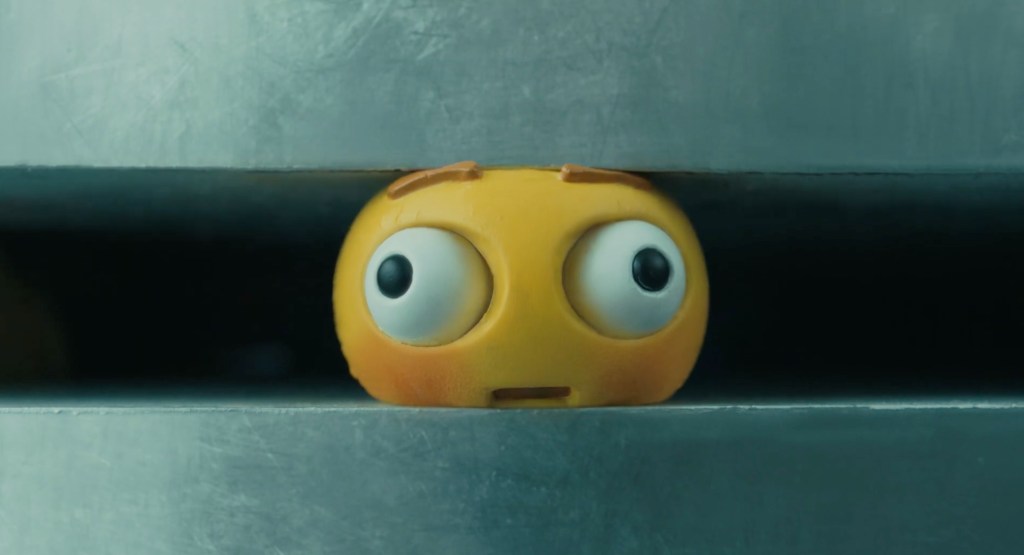
In a highly unusual move, Apple included an ultra-creepy 1-minute film — titled “Crush!” — as part of the iPad Pro unveiling that shows a heavyweight industrial press crushing a collection of old-school arts & crafts objects and crushing them to complete destruction.
The video sparked huge controversy amongst the creative community, and Apple eventually apologized publicly and canceled the TV ads it was planning to run using this film.
This tweet was probably the best response I’ve seen 🙂
Shot on iPhone, edited on an iPad… and a Mac (!)
Unsurprisingly, this event was entirely shot on iPhone, and Apple also touted that it was edited on an iPad… and a Mac. My guess is that they tried to edit the whole thing on an iPad (which would have been much more fitting) but that just didn’t work and they had to fall back to a Mac to avoid compromising quality of the final edit.
 Hugo's Blog